
Handle payroll, supplier payments and staff reimbursements in one payment batch.
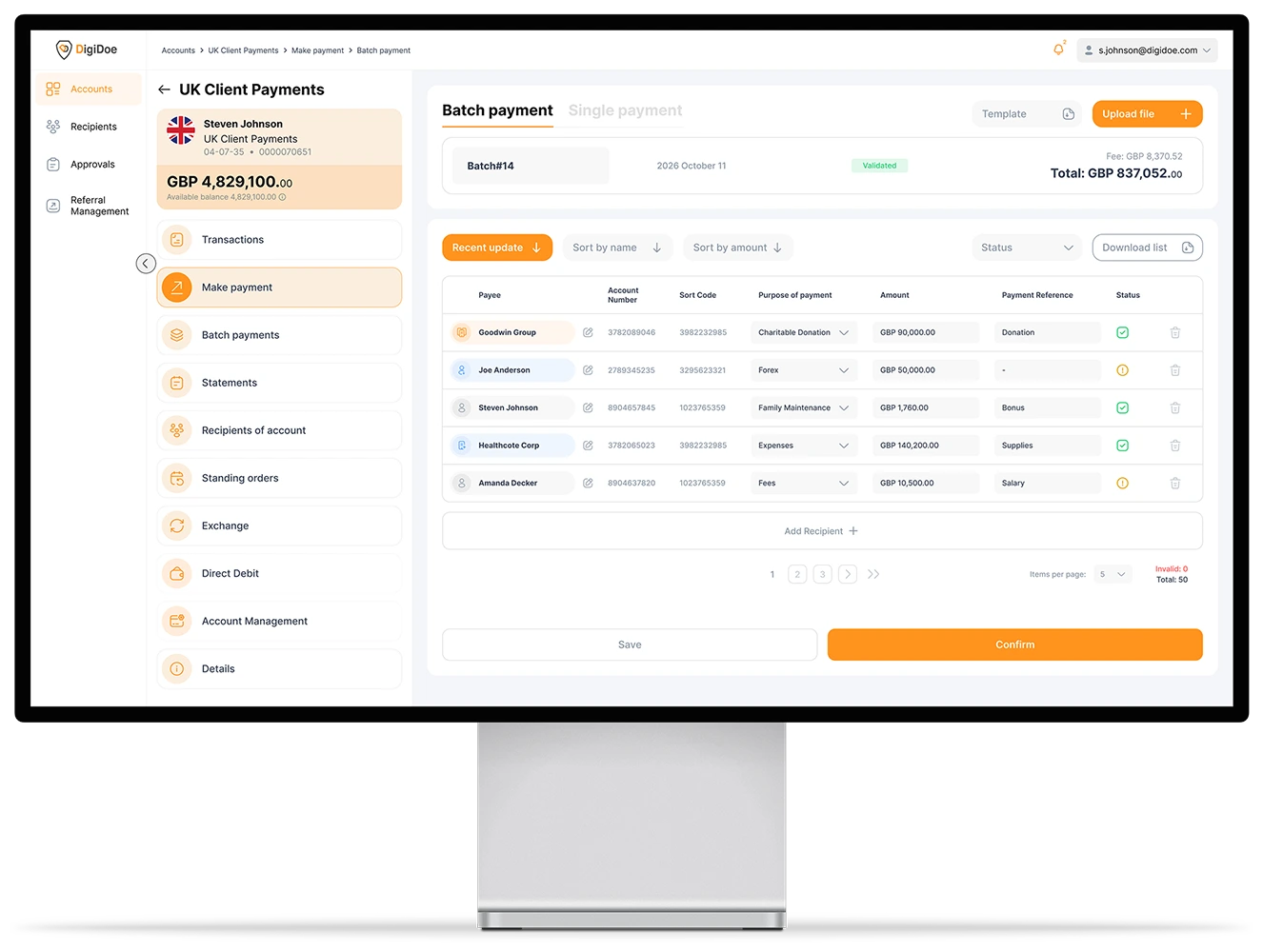
Upload one payment file to prepare multiple payments. Review the batch total and individual instructions, apply the required approvals and submit the batch from DigiDoe web portal.
Payroll runs · Supplier runs · Staff expense reimbursements · Configurable approvals
One batch for payments that belong together.
Create one payment run instead of entering every payment separately.
Payroll runs
Prepare salary payments for multiple employees in one batch.
Supplier runs
Group approved supplier payments into one controlled payment run.
Staff expense reimbursements
Reimburse multiple employees without creating each payment separately.
Prepare, review, approve and submit.
Prepare the payment file
Add the required recipient and payment details in a file.
Upload the batch
Upload the file and select the eligible DigiDoe account that will fund the payments.
Review
DigiDoe checks the number of payments, batch total and individual instructions. Confirm before submission.
Approve
Route the batch through the approval workflow configured as per your corporate finance policy.
Submit
Submit the batch and review status of each payment.
Review the batch before funds are released.
See the funding account, number of payments, batch total, and the recipient, amount and reference for each payment before submission. DigiDoe’s built-in checks help identify payment instructions that require attention.
Payment records

After submission, review the batch summary and the available transaction record and status for each payment.
Apply your payment approval policy to the batch.
Use configurable approval workflows to control how a batch is prepared, reviewed and approved before payments are released.
Maker-checker control
One authorised user prepares the batch and another approves it.
Value-based approvals
Apply approval requirements according to the relevant payment value and the policy configured for the account.
Multiple approvers
Require one or more authorised users where your policy calls for additional approval.
How we’re authorised and certified

FCA-authorised EMI
Authorised and regulated by the Financial Conduct Authority as an Electronic Money Institution, not a bank.
FRN 901043 · verify on the FCA register ↗

Funds safeguarded
Relevant funds are safeguarded in accordance with the Electronic Money Regulations and held separately from our own funds.
Safeguarding partners named on request.

Independently audited
Safeguarding arrangements are independently audited.
Independent auditor, named on request.

ISO 27001
Certified information-security management protecting client data and systems, certified by the British Assessment Bureau.
ISO 22301
Certified business-continuity management so the service stays resilient, certified by the British Assessment Bureau.

Purpose-built technology
Proprietary infrastructure built in-house, with no third-party data exposure.
Payments are screened against sanctions and financial-crime controls, and transactions are monitored. These controls reduce risk; they do not remove it.
Ready to simplify your next payment run?
Prepare payroll, supplier and staff expense reimbursement payments in one batch, apply the required approvals and retain a clear record of each payment.